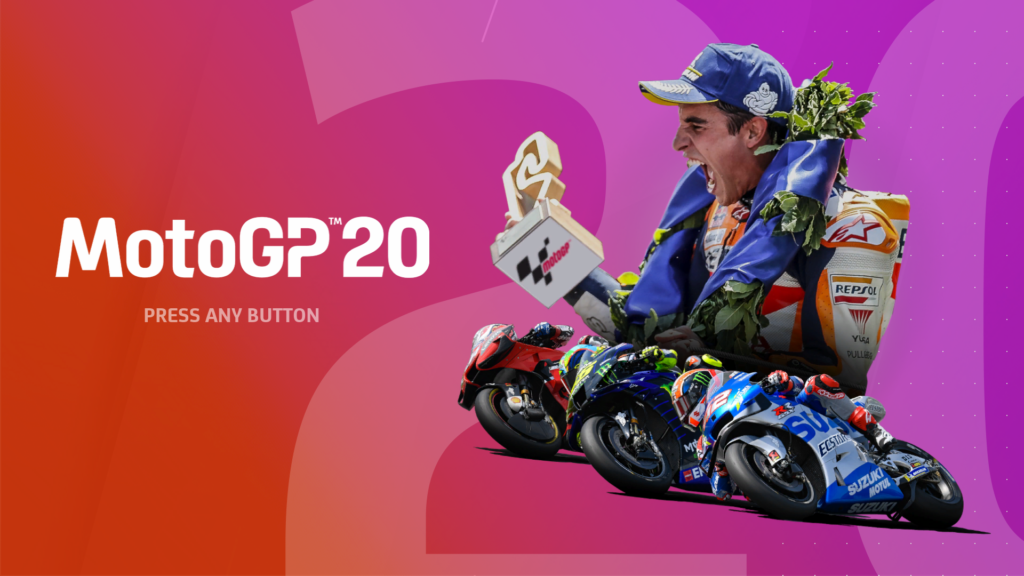
MotoGP 20 is the latest game in the series, from creators Milestone. This is a motorcycle racing simulator, focused mainly around the structure of the MotoGP racing season. Available on PS4, Xbox One, Nintendo Switch and PC from 23.4.20.
Introduction
MotoGP 20 begins by getting the player to create their rider. This is just the basic customisation, which will be further developed later in the game, when a career is embarked upon. Customisable features at this point include the Rider’s Name, Face, Nationality and Racing Number.
When beginning a career, the player must first choose the Class they would like to compete in – either Moto3, Moto2 or MotoGP.
They are then prompted to select a Personal Manager from those available. The managers possess different skills which determine whether they are a strong team-builder, or a lucrative deal-maker.
Once a Personal Manager is hired, the player must choose which Team they would like to race for. They have the options between Existing Factory Teams, or a New Team, which has the extra benefit of customisation for their Bike Liveries.
Choosing Class & Team
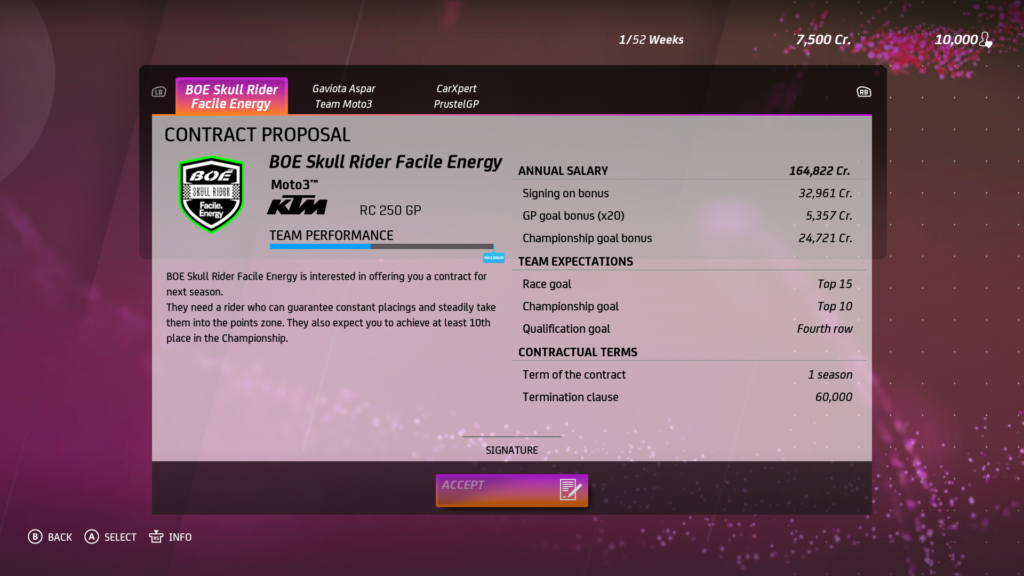
The Teams’ Terms will be displayed in their contract offers, so the player must consider the Annual Salary and Team Expectations when signing their contract.
Finally, the player is able to edit the Appearance of their rider. The Helmet, Number, Rider Sticker, Gloves, Boots, Knee Sliders and Suit can be edited here. The Riding Style is also changeable, and the options for cornering are; Balanced, Centred, Elbows To The Ground, Shoulders Out, Body Out or Old School. Players may also choose to have their Braking Leg Out, Feet At Start and Number Of Braking Fingers.
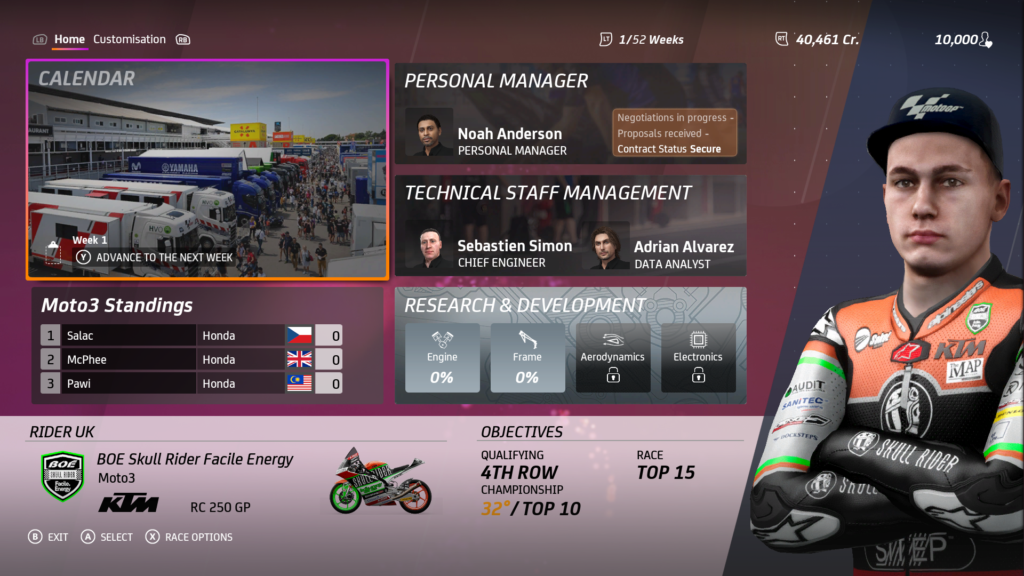
In the Career mode, players can view their Team Information and Objectives.
Career Main Screen
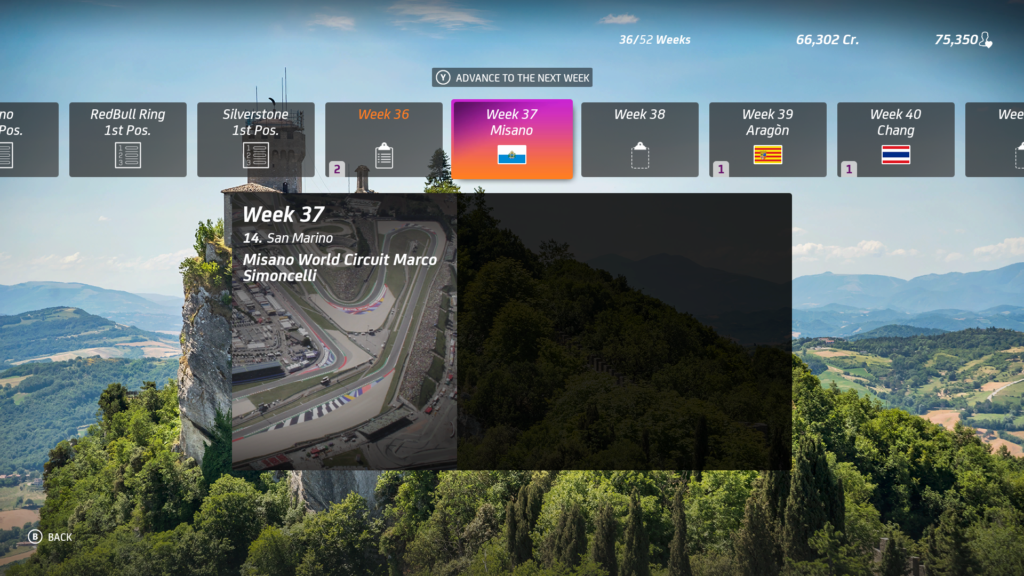
Within the Calendar, they can scroll through weeks which will give them their upcoming schedule, and events. When they have been paid, they can view a breakdown of their pay cheques. These are split into categories showing their Contract Earnings and Entourage Expenditures.
Career Calendar
Race weekends are divided into Practice Sessions, Qualifying Sessions, a Warm Up and the Race itself. Players can opt out of Sessions and the Warm Up if they choose to, but to qualify for the Grand Prix, players must complete at least one valid lap, in a fast enough time.
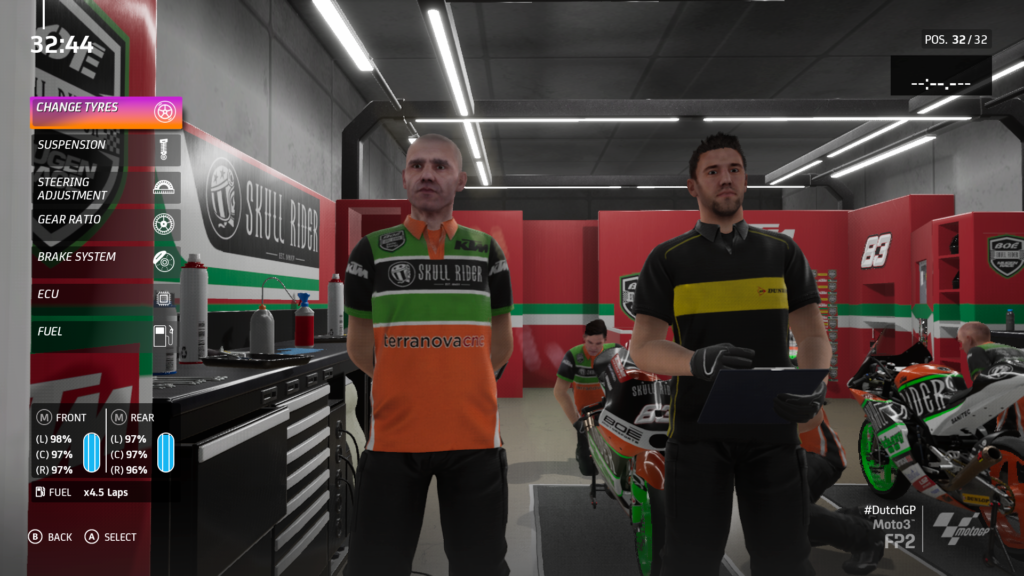
Prior to riding, the player can tinker with their bike’s set up in the Track Engineer menu. This can be done Manually, or With Guidance if they give feedback to their team, who will make the necessary adjustments. Tyre Compound, Suspension, Steering Adjustment, Gear Ratio, Brake System, ECU and Fuel can all be altered before going to the track.
Track Engineer
Fine tuning can be continued throughout the Practice and Qualifying Sessions, in order to enhance the bike’s performance on any given track, in various weather conditions. The Bike Set Up can be Saved, and later Loaded, once the final alterations have been made.
Consumption Checks allow the player to gauge the most suitable requirements for the amount of Fuel and Tyre Compounds. Wear on these factors will be determined by the set up of the ECU.
During Sessions, players can check the current standings in the Live Session and Combined Results menus.
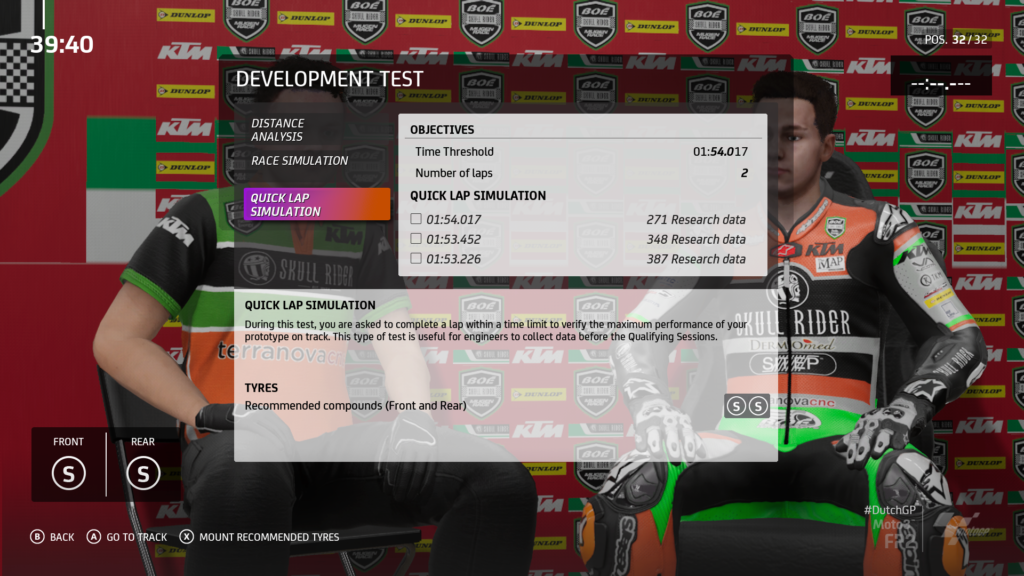
When practising, they can carry out Development Tests by completing a certain Number Of Laps, or Laps In A Specified Time. Achieving the goals increases the Research Data collected at the end of the weekend.
Development Tests
Should the player choose to divert from their original schedule, they may do this in the Weekend Management menu. Here they can change their schedule if they don’t want to take part in all the Practice, Qualifying or Warm Up Sessions.
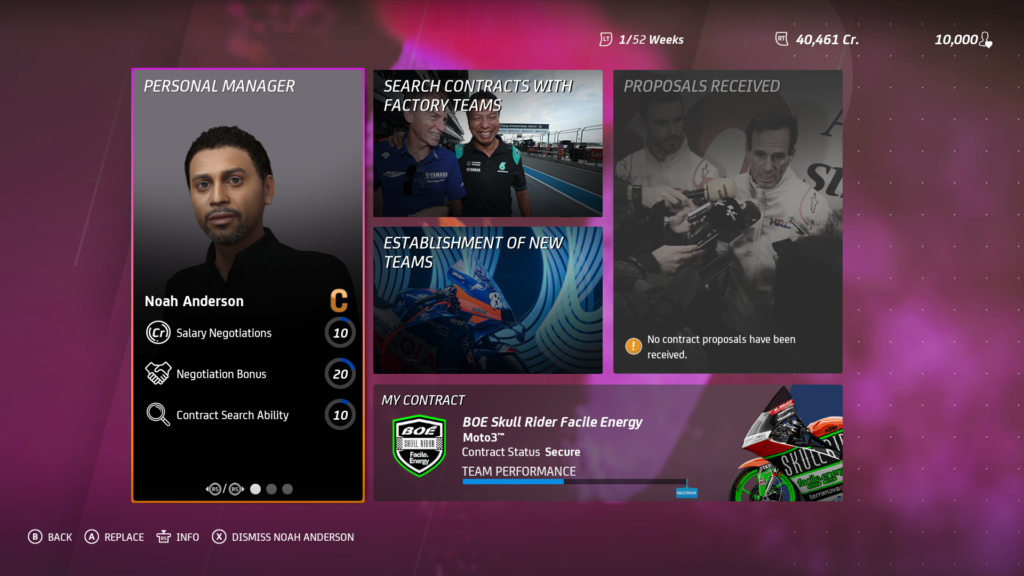
The Personal Manager is replaceable, or flat out dismissible. His duties are to Search For Contracts with Existing, or New Teams. The player is able to view Received Proposals and their Current Contract in this section.
Personal Manager Menu
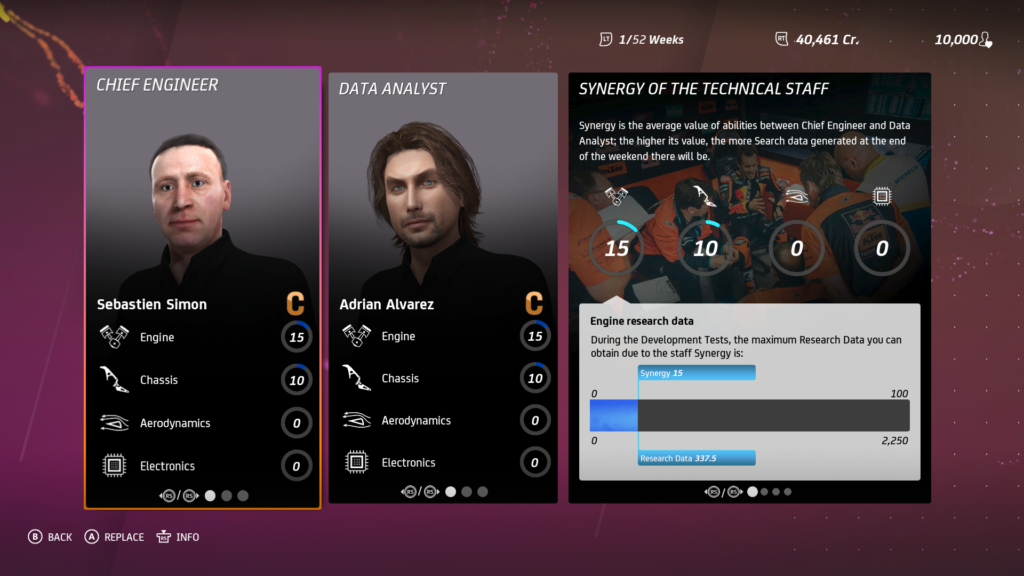
In the Technical Staff Management section, the player can view their team’s Chief Engineer and Data Analyst. They are rated by their expertise in areas including the Engine, Chassis, Aerodynamics and Electronics.
Technical Staff Menu
These staff are also replaceable, and should be hired based on their Synergy. The higher value between them increases the amount of Research Data generated at the end of each weekend.
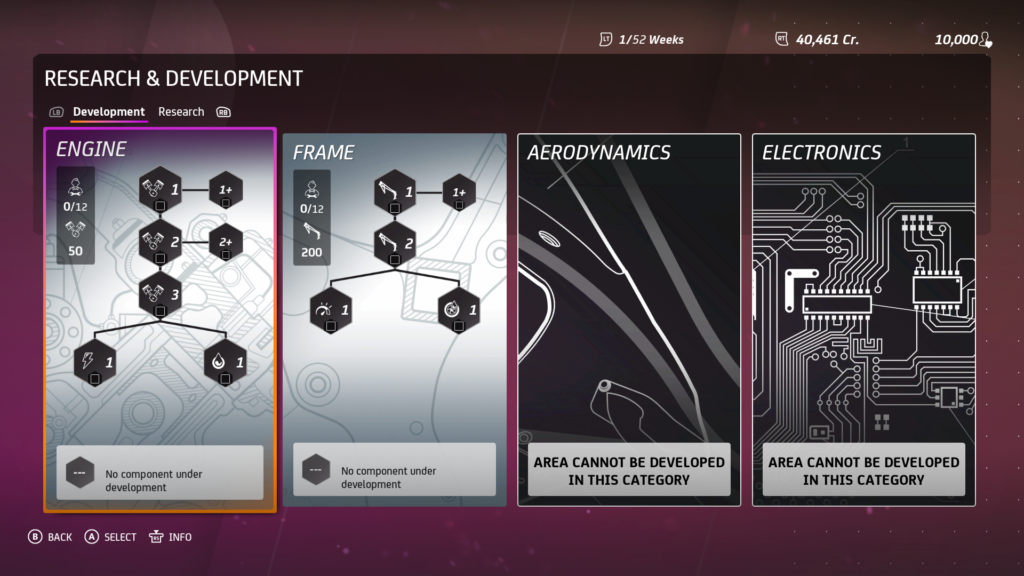
Developing the bike’s performance is paramount in MotoGP 20. The areas that can be improved upon are; Engine, Frame, Aerodynamics and Electronics.
Research & Development Menu
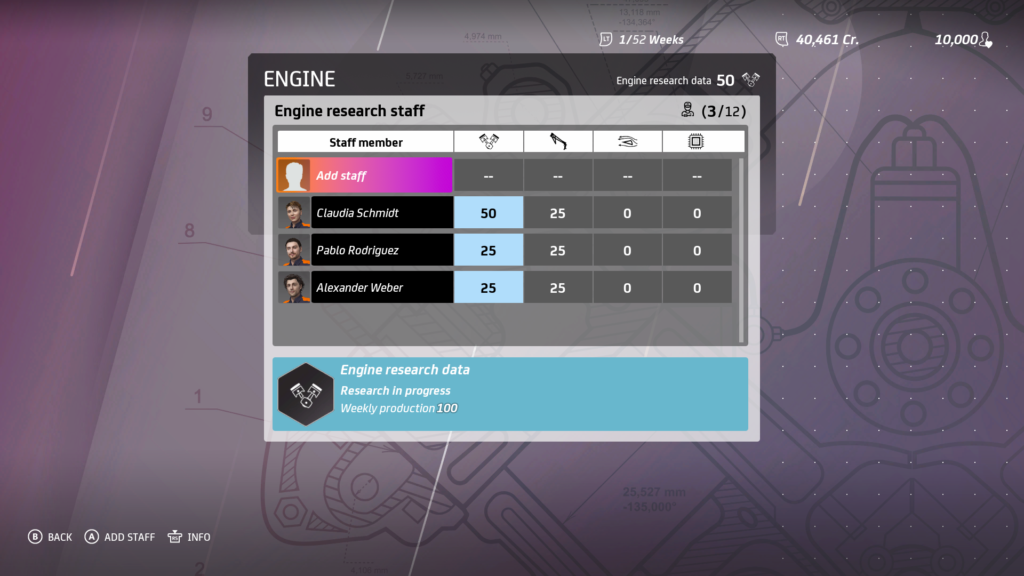
Specially skilled Research Team Members can be assigned to research areas, based on their strengths. By appointing the best team, data is collected more efficiently.
Research Staff Allocation
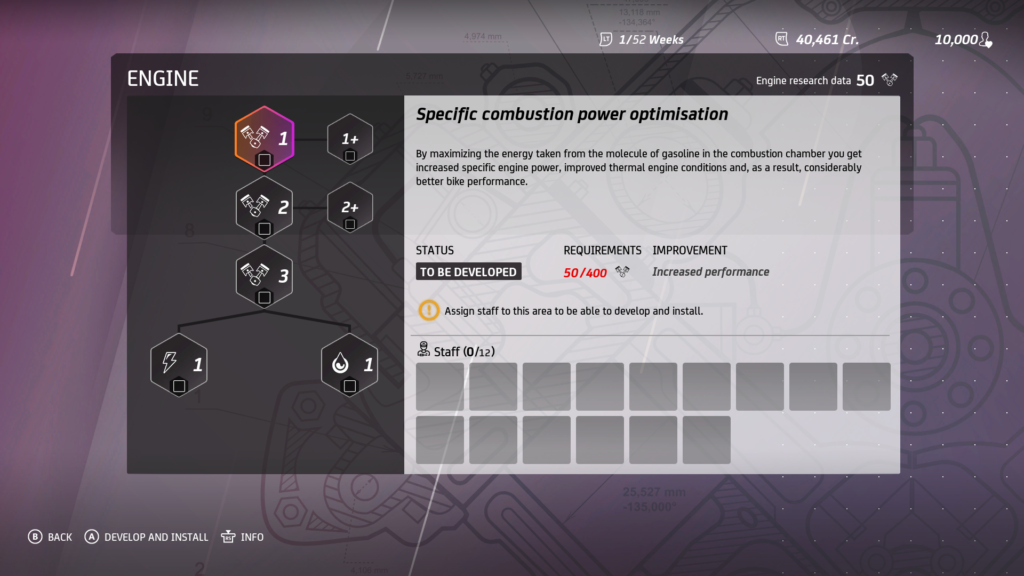
Sufficient Research Data enables development of specific Nodes – each of which makes a different improvement to the bike’s performance. Once they are fully developed, Nodes can be installed.
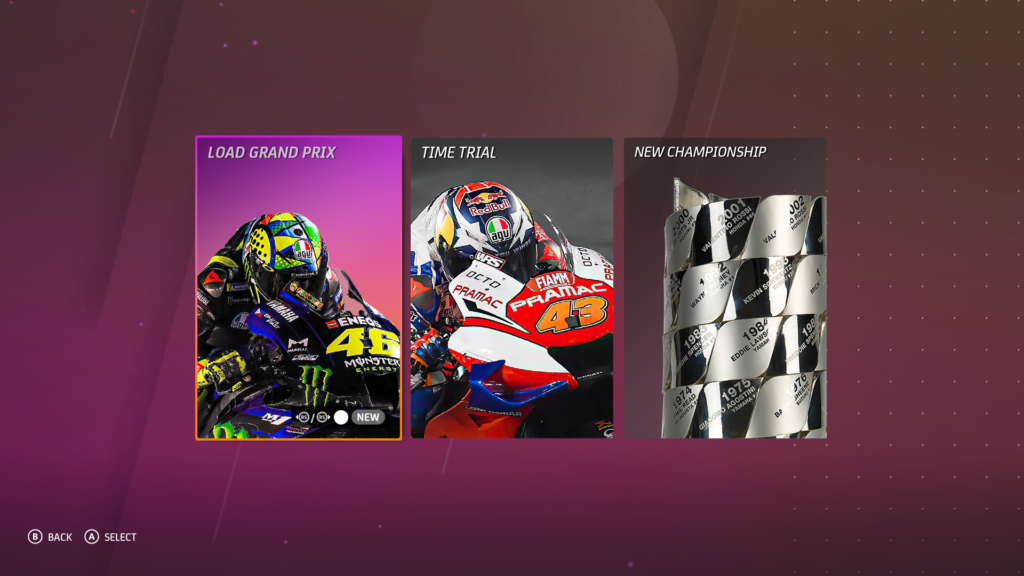
Outside of the Career mode, MotoGP 20 also offers Quick Modes including a New Grand Prix, Time Trial or New Championship.
Quick Modes
Within these modes they must choose the class to compete in, from MotoGP, Moto2, Moto3, MotoE, Red Bull MotoGP Rookies Cup, 4-Stroke MotoGP or 500cc 2-Stroke.
Next, they select their Team and Rider – Existing or Customised – as well as a Track for a New Grand Prix or Time Trial. Players can check their Calendar when playing a New Championship.
Race Options and Riding Aids can be modified before commencing, and Leader-boards can be viewed when participating in a Time Trial.
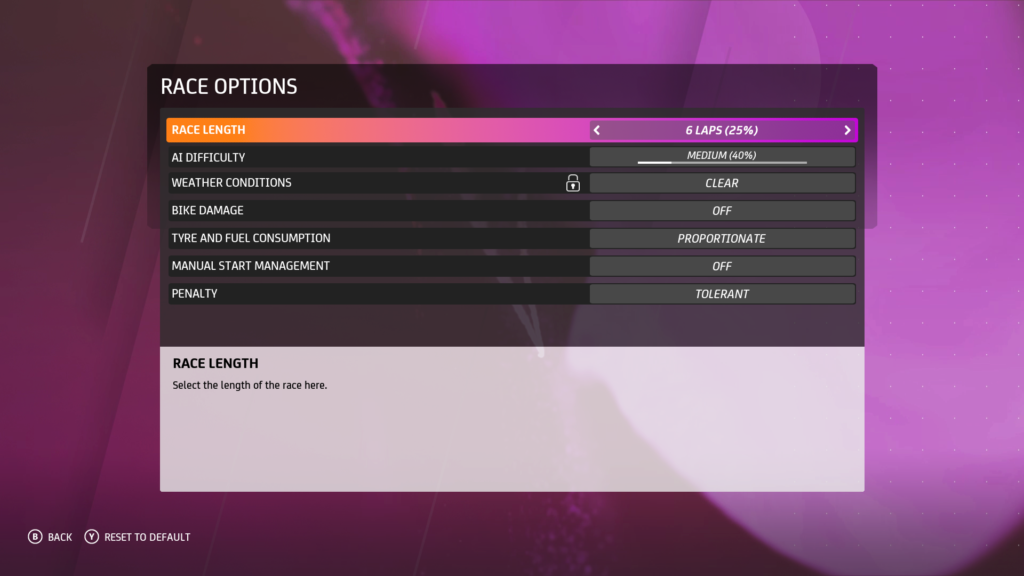
Before racing, the player may toggle the following options; Number Of Laps, AI Difficulty, Weather Conditions, Bike Damage (On/Off), Tyre & Fuel Consumption (Proportionate/Realistic), Manual Start Management (On/Off) and Penalties (Tolerant/Strict).
Race Options
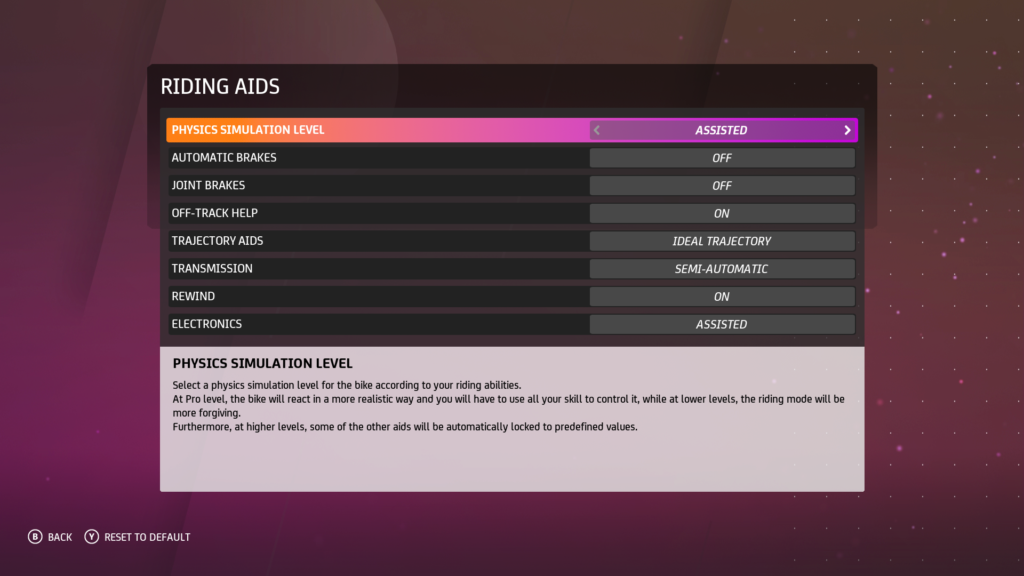
Additional settings that will affect the difficulty of the race can be found and revised under the Riding Aids. They include; Physics Simulation Level, Automatic Brakes, Joint Brakes, Off Track Help, Trajectory Aids, Transmission, Rewind and Electronics.
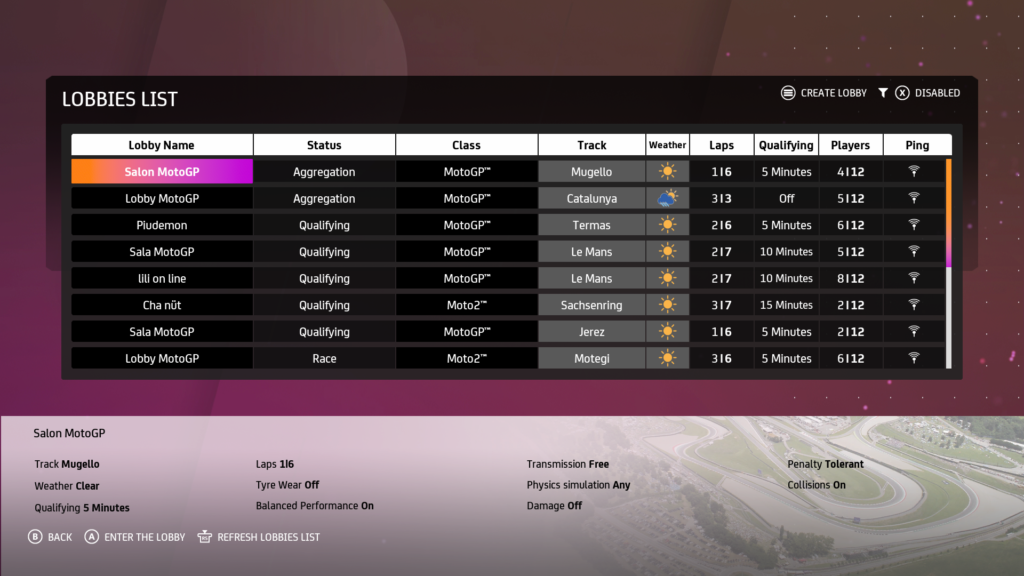
MotoGP 20 can also be played against other players, by Joining An Existing Lobby online.
Multiplayer Lobbies List
It is also possible to Create Private or Public Lobbies by adjusting their settings. These include; Lobby Name, Track Selection, Class, AI (On/Off), AI Difficulty, Race Length, Race Qualifying, Weather Conditions, Balance Performance, Bike Damage, Tyre & Fuel Consumption, Physics Simulation Level, Transmission, Penalties and Collisions.
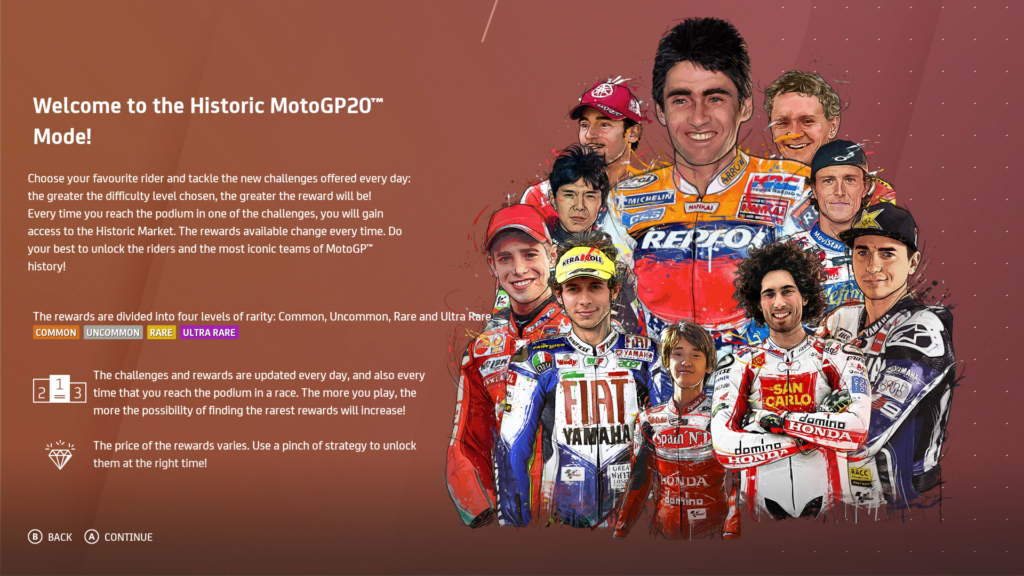
The other alternative mode in MotoGP 20 is the Historic Mode. Here, players must take part in Challenges in order to earn Diamonds. The harder the Challenge, the greater the reward in Diamonds.
Historic Mode Start
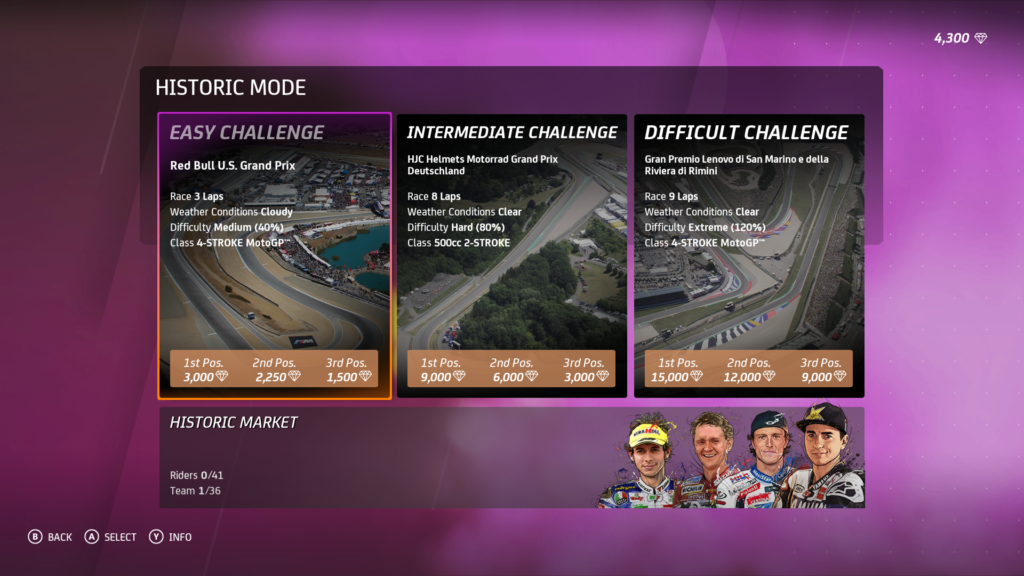
Players have three levels of Challenge to choose from, and their difficulty will be either Easy, Intermediate or Difficult. This difficulty level is based on the Track, Number Of Laps, Conditions, AI Difficulty and Class.
Challenges
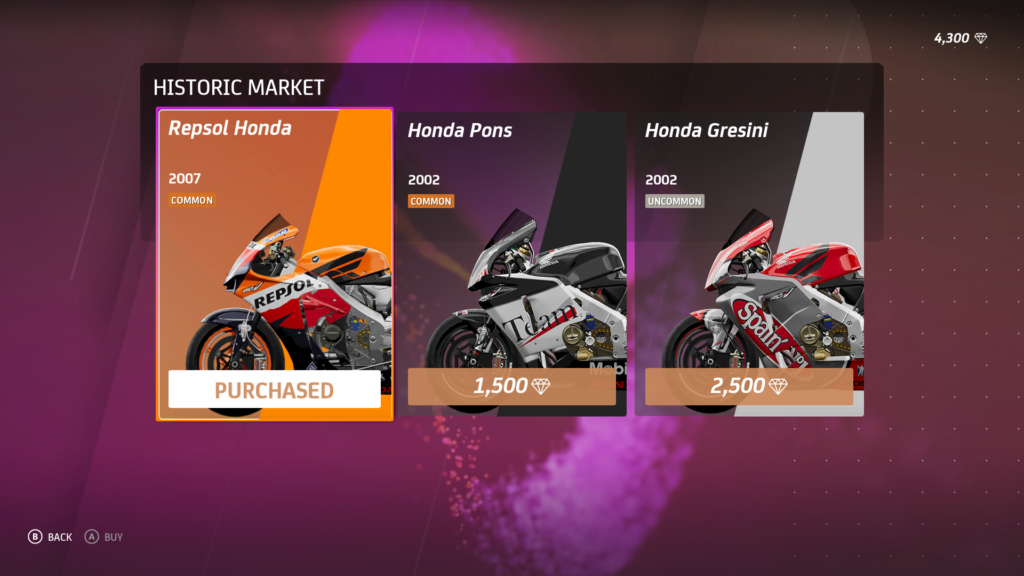
Podium finishes are rewarded with Diamonds, which can then be used to purchase items in the Historic Market, such as Riders and Motorcycles. The aim is to unlock as many items as possible by purchasing them. These can then be used during future challenges.
MotoGP 20 has several optional commands which will change the extent of control for the player. They include; Accelerate, Separate Front & Back Brakes, Turn, Clutch, Gear Up/Down, Weight Distribution, Scroll Thermometer Pages and Adjust Electronics Level.
Controls
The racing view can be changed using the Change Camera button, and the player can also look around with the 360° View.
The Rewind function enables the player to correct mistakes, by replaying a limited period of time before they were made.
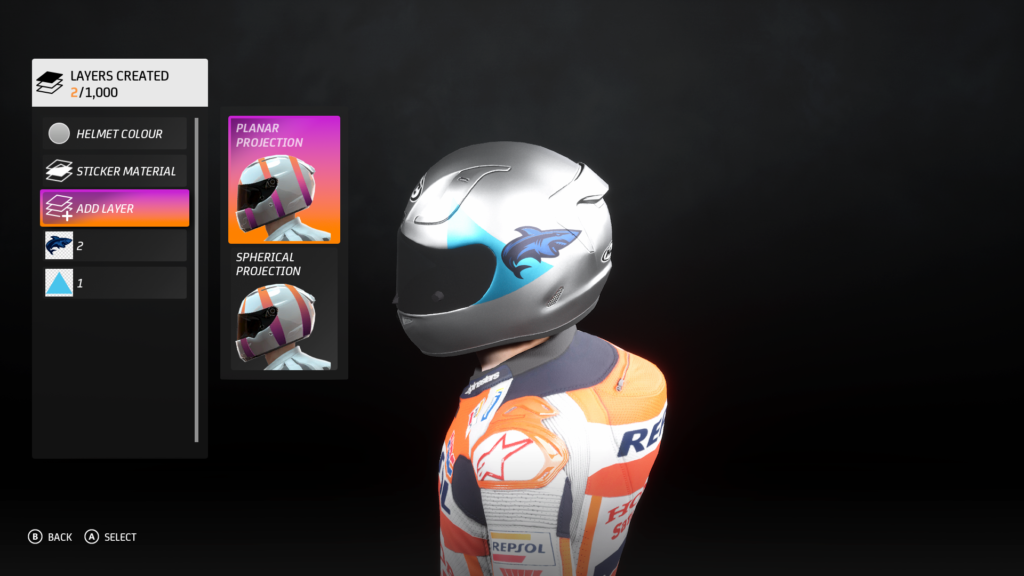
Customisations can be made to several aspects in MotoGP 20, from the Rider to the Bike Liveries. Helmets, Numbers and Rider Stickers can also be edited by creating new designs.
Helmet Customisation
Under the Rider menu, players can amend any of the Appearance Options they selected at the beginning of their Career, such as their Helmet, Number, Rider Sticker, Gloves, Boots, Knee Sliders, Suit and Riding Style.
The Team menu opens up the customisation of the bike, and allows players to change the Sponsor, Livery, Fairings and Rims Colours.
Bike Customisation
Pros
1. Stunning Graphics – The visuals are epic, no doubt about it! The bikes and riders look accurate and sharp, yet outstandingly smooth in motion. Although the track surroundings and paddock could have been more polished, they don’t subtract from the impressive beauty of this game.
2. Convincingly Realistic – Tweaks to the bike actually make a noticeable difference to its performance. The physics of the game are almost as true to life as can be, demanding skill and peaking your interest.
3. Eye-opening – This is a fun and interactive way to familiarise yourself with the MotoGP structure in regards to tracks, practice & qualifying sessions, teams and the bike’s set up.
4. Commentating A Nice Touch – Keith Huewen builds race anticipation and makes your hairs stand on end at the starting grid. It feels like the real deal!
5. Historic Mode – This is a welcome break from the career mode sometimes, and hours can be spent stacking up diamonds to splash on items of your choice. It’s fast, fun and gives the game a little more longevity.
Cons
1. Research Teams – Don’t assign them to research, there’s no point! Run the development tests during practice sessions to gain data. It’s much quicker, and then you can assign your team to developing nodes. It’s a bit of a no-brainer.
2. Map View Limited – I don’t know why you can’t view the whole map, it seems senseless to me unless Milestone are encouraging/forcing you to learn the tracks off by heart. As it is, you can only see upcoming bends, and even they’re not in advance enough to be helpful.
3. No Tutorial – Newbies will be thrown in at the deep end, as there is no form of training or tutorial before being hurtled into the career mode. Yeah, cheers.
4. Quitting Can Be Costly – Returning to career mode during practice sessions means losing all the research data you’ve collected in that session. Make sure you’re on the track, then you can ‘End Session’ which will bank that valuable progress. More of a tip from me, than a con.
So, What's The Verdict? - MotoGP 20
Milestone have delivered in the places where it matters the most with MotoGP 20. Graphically, the game is wondrous, capturing the stunning essence of man and machine in sync at 200mph. The weightiness of the bikes is believable, and the off track physics, as well as the varying weather conditions, make this game authentically challenging.
MotoGP 20
As it is focused solely on the MotoGP, it can feel limited in terms of bike tuning. Unlike in the Ride franchise, which is also created by Milestone, the bikes have only a few upgrades that can be applied. These are obtained with research data, and through the development of nodes. It induces a sense of achievement when the bike is upgraded, although it is impersonal and generic in comparison to other games’ tuning options.
The structure of the Career season restricts the number of tracks and competitions the player can experience. Milestone have found a way around this by creating the Historic Mode, which adds depth to the gaming possibilities. Personally, I revelled stepping into the shoes of some of the legends like Valentino Rossi and Mick Doohan. I think this mode was more ‘pick up and play’ than the career, and I had fun unlocking more content as I passed the individual challenges.
All in all, this is an admirable, and very playable, offering from the leaders in motorcycle simulation games. It’s not for everyone and ages quickly, but if you are a fan of MotoGP, you’ll definitely get your thrills from the tough competition, and mechanical intricacies. One to complete then delete, in my humble opinion.